
Running DeepSeek Harness on a Local Model: Ollama, vLLM, LM Studio and llama.cpp
No model is hard-coded into DeepSeek Harness: the llm-pi-ai adapter can describe any OpenAI-compatible gateway or self-hosted server directly in the config, which is why Ollama, vLLM, LM Studio and llama.cpp all connect without touching a line of code. The same adapter is also what makes dsh usable without a subscription at all, running entirely against hardware already sitting under a desk.
DSH Field Guide is an independent community resource covering this workflow — it is not affiliated with, endorsed by, or operated by DeepSeek. “DeepSeek” and “DeepSeek Harness” are trademarks of their respective owner, and nothing below should be read as an official statement from that company.
How the Model Layer Actually Works
Two adapters live under packages/llm, and they solve different problems. @deepseek-ai/dsh-llm-deepseek is the direct DeepSeek adapter, wired to the deepseek-official route, with a built-in thinking mode, a reasoning-effort setting and image support for vision models. @deepseek-ai/dsh-llm-pi-ai is the multi-provider one, built on top of @earendil-works/pi-ai: a route can either inherit the endpoint, protocol and model catalog of any pi-ai provider, or describe an OpenAI-compatible gateway or self-hosted server directly in the config, and it supports OAuth login as well. It is this second adapter that turns local-model support from a theoretical option into something that actually works.
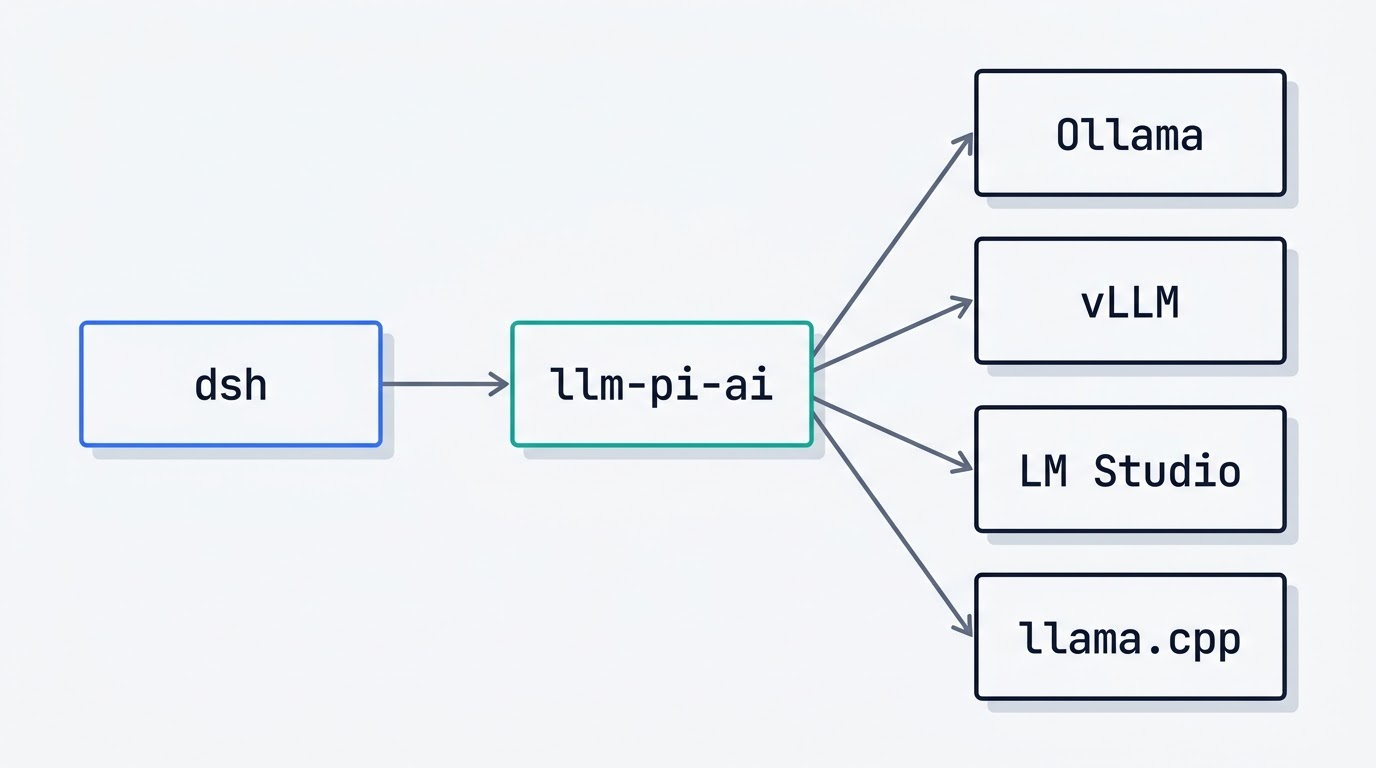
What “OpenAI-compatible” has to mean here
An agent loop is not a chat window. It is not enough for a local server to answer /v1/chat/completions — it needs working tool calls, a context length that matches what the client expects, and timeouts generous enough for hardware that is not a data-center GPU. Everything below is about getting those three things right for each backend, one at a time.
Ollama: the Five-Minute Path
Ollama exposes an OpenAI-compatible layer at http://localhost:11434/v1. The setup path is: install Ollama, pull a model, confirm it answers on /v1/models, then point a llm-pi-ai route at that base URL in the dsh profile config. The local server does not check the API key, but the field usually still needs any non-empty string in it or the client refuses to send the request.
Ollama is the easiest of the four backends to get running and the least predictable in two specific places: the default context window is trimmed aggressively, and tool-calling support depends entirely on whether the specific model ships a tool-compatible chat template. If the agent “can’t see” its tools, check the model’s template before touching the dsh config — that is where the fault almost always lives.
vLLM: the Serious Option
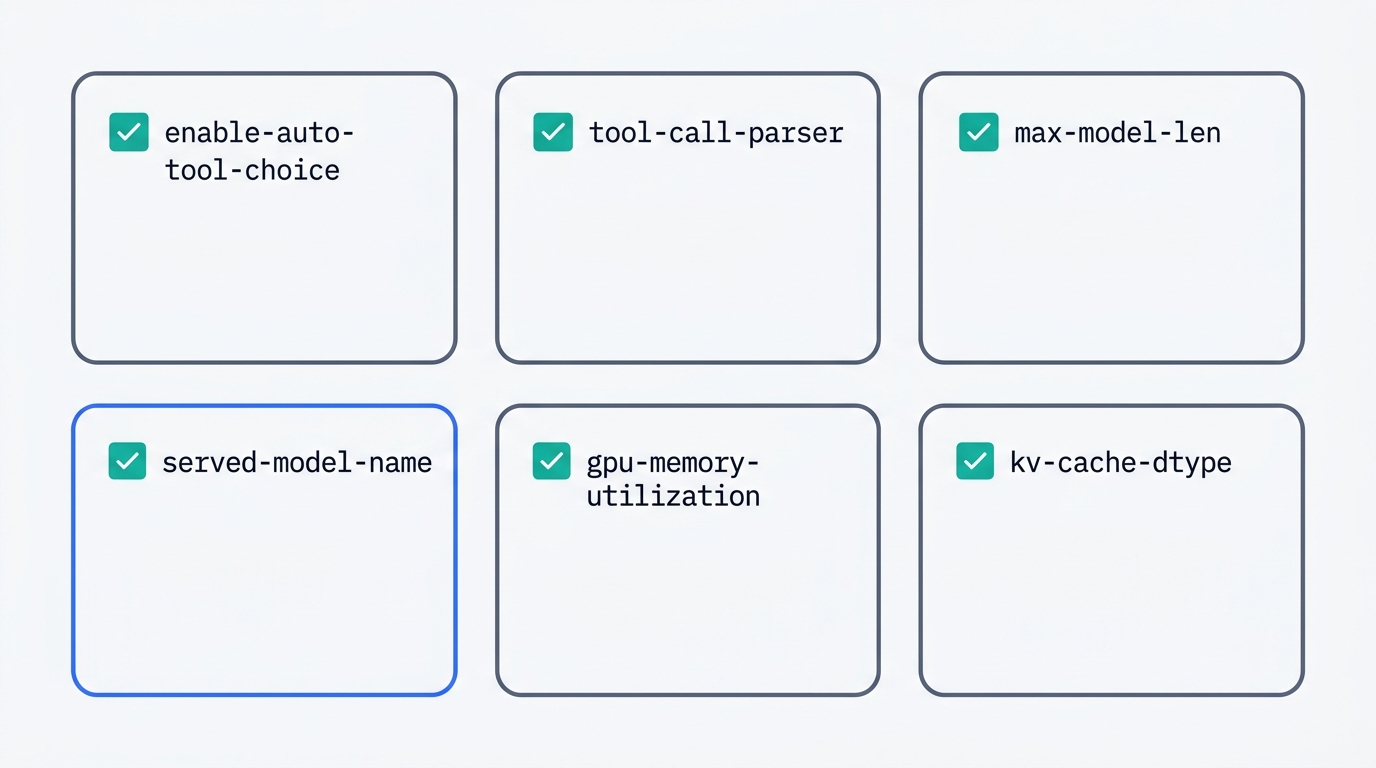
The base URL in the official examples is http://localhost:8000/v1. Two flags are mandatory for agentic use with vLLM: --enable-auto-tool-choice, without which the model simply will not generate tool calls at all, and --tool-call-parser set to a parser matching the model family (llama3_json, hermes, mistral, granite, deepseek_v3, llama4_pythonic); custom parsers register through --tool-parser-plugin. The model name that dsh will see is set by --served-model-name — if that flag is missing, the name defaults to whatever was passed to --model.
Context length is where most vLLM setups quietly diverge from what dsh expects. --max-model-len sets the context length counting prompt and output together; if it is left unset it is derived automatically from the model config, it accepts human-readable k/m/g suffixes, and -1 or auto picks the maximum length that fits in GPU memory. --gpu-memory-utilization defaults to 0.92 and is a per-instance setting — a second vLLM process on the same card knows nothing about the first one’s allocation. KV cache size can be set directly with --kv-cache-memory-bytes, and its storage dtype with --kv-cache-dtype (fp8 is supported on CUDA 11.8+, ROCm and Intel Gaudi). If the model does not fit, the fix is to lower max_model_len and max_num_seqs, not to push gpu-memory-utilization higher.
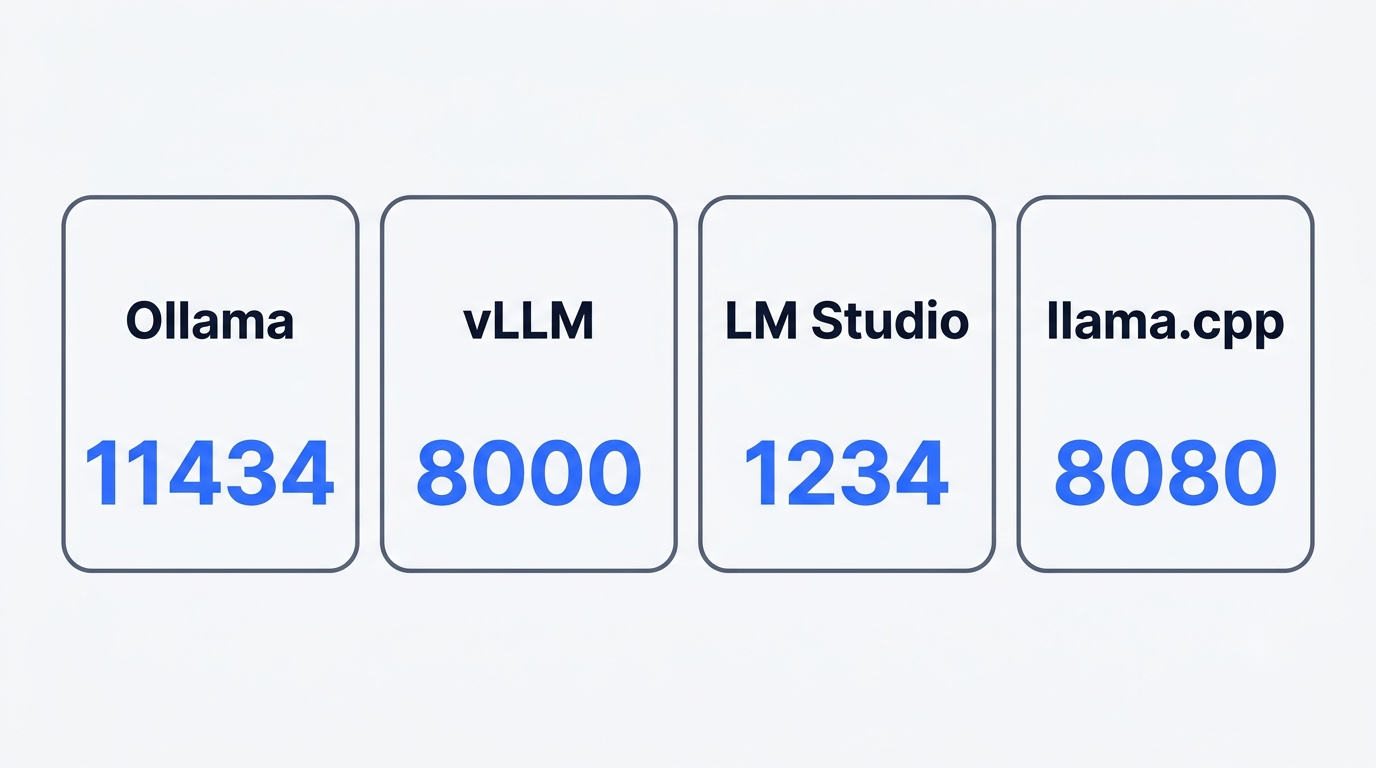
Below is what the four backends expose by default, before any of these flags are touched:
| Backend | Default base URL | Default port | Config-time context flag |
|---|---|---|---|
| Ollama | http://localhost:11434/v1 | 11434 | model default (trimmed) |
| vLLM | http://localhost:8000/v1 | 8000 | --max-model-len |
| LM Studio | http://localhost:1234/v1 | 1234 | context_length at load time |
| llama.cpp | http://127.0.0.1:8080 | 8080 | -c / --ctx-size |
The security note buried in the vLLM docs is easy to miss and worth reading twice before exposing a server beyond localhost:
Warning — API key authentication does not protect every endpoint. The
--api-keyoption (orVLLM_API_KEYenvironment variable) only authenticates requests to endpoints under the/v1,/v2, and/inferencepath prefixes. Other endpoints on the same HTTP server are not authenticated — most notably/invocations, which exposes the same inference capabilities as the/v1endpoints. Do not rely on--api-keyalone to secure vLLM.vLLM documentation
In other words, --api-key locks the front door and leaves a side door — /invocations — wide open on the same server. Anyone reachable on that port can still run inference through it without a key, which matters the moment a vLLM instance is bound to anything other than localhost.
LM Studio and llama.cpp
Both tools ship their own OpenAI-compatible server, but the details that matter for a DeepSeek Harness guide differ enough that mixing them up wastes an afternoon of debugging.
LM Studio
The LM Studio server listens on http://localhost:1234/v1 by default, with GET /v1/models, POST /v1/responses, /v1/chat/completions, /v1/embeddings and /v1/completions all supported. Function calling is officially supported in the same format used by OpenAI’s API. The server starts from the Developer tab in the app, or from lms server start on the CLI after npx lmstudio install-cli. A model loads with lms load or a POST /api/v1/models/load call, where context_length sets the window and eval_batch_size, flash_attention, num_experts and offload_kv_cache_to_gpu only apply to models running on LM Studio’s llama.cpp-based engine. For servers and CI there is a headless build called llmster, started with lms daemon up.
llama.cpp
llama-server from llama.cpp listens on port 8080 at 127.0.0.1 by default; it only becomes reachable externally with --host 0.0.0.0. -c / --ctx-size defaults to 0, meaning the context size is pulled from the model’s own metadata. OpenAI-style function calling needs --jinja (enabled by default), and sometimes also a --chat-template-file pointing at a tool-compatible Jinja template, with --chat-template chatml as a fallback when nothing else fits. Authentication goes through --api-key (a comma-separated list is allowed) or --api-key-file. Worth knowing separately: the experimental built-in tools flag --tools and the -ag / --agent mode should not be enabled in an untrusted environment, and neither is needed for dsh — dsh supplies its own tools regardless of what the backend can technically do on its own.
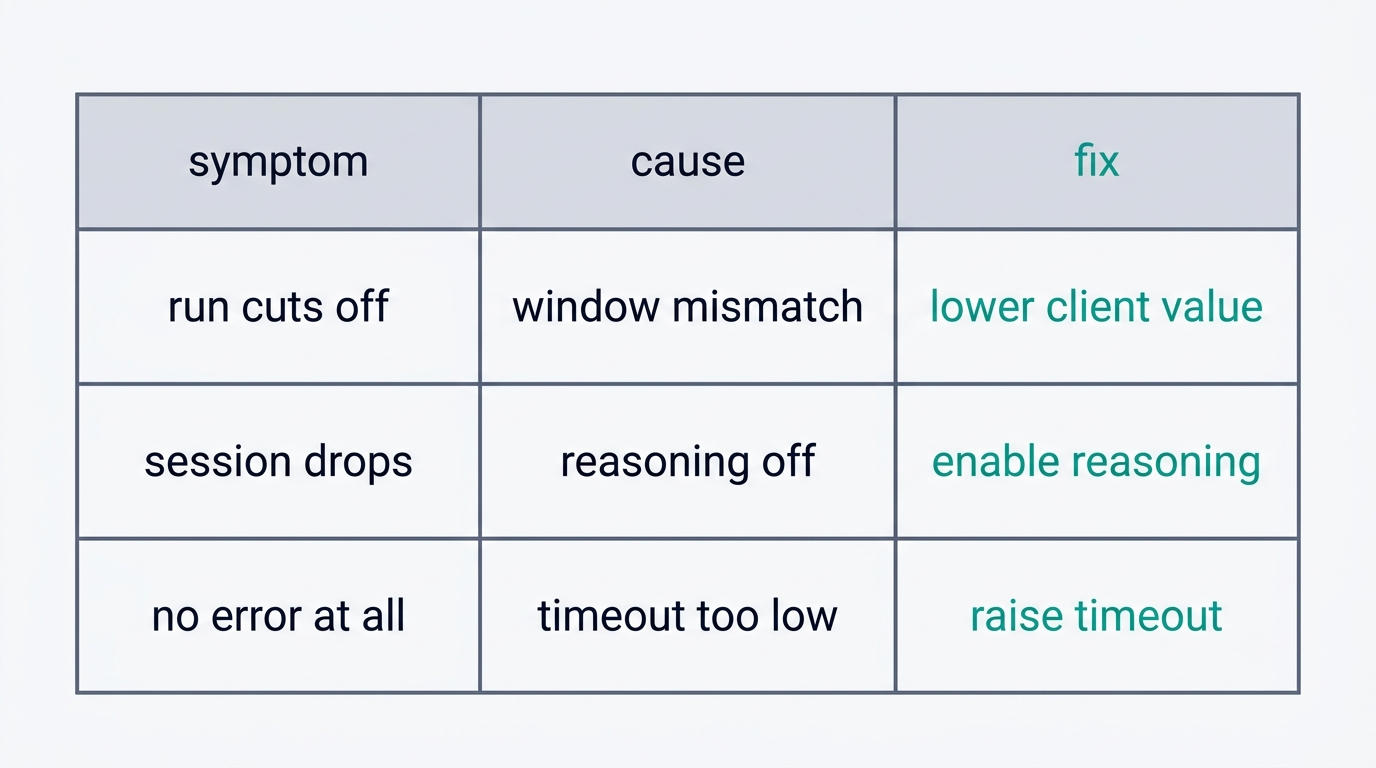
The Three Things That Break on Local Models
Context length that does not add up
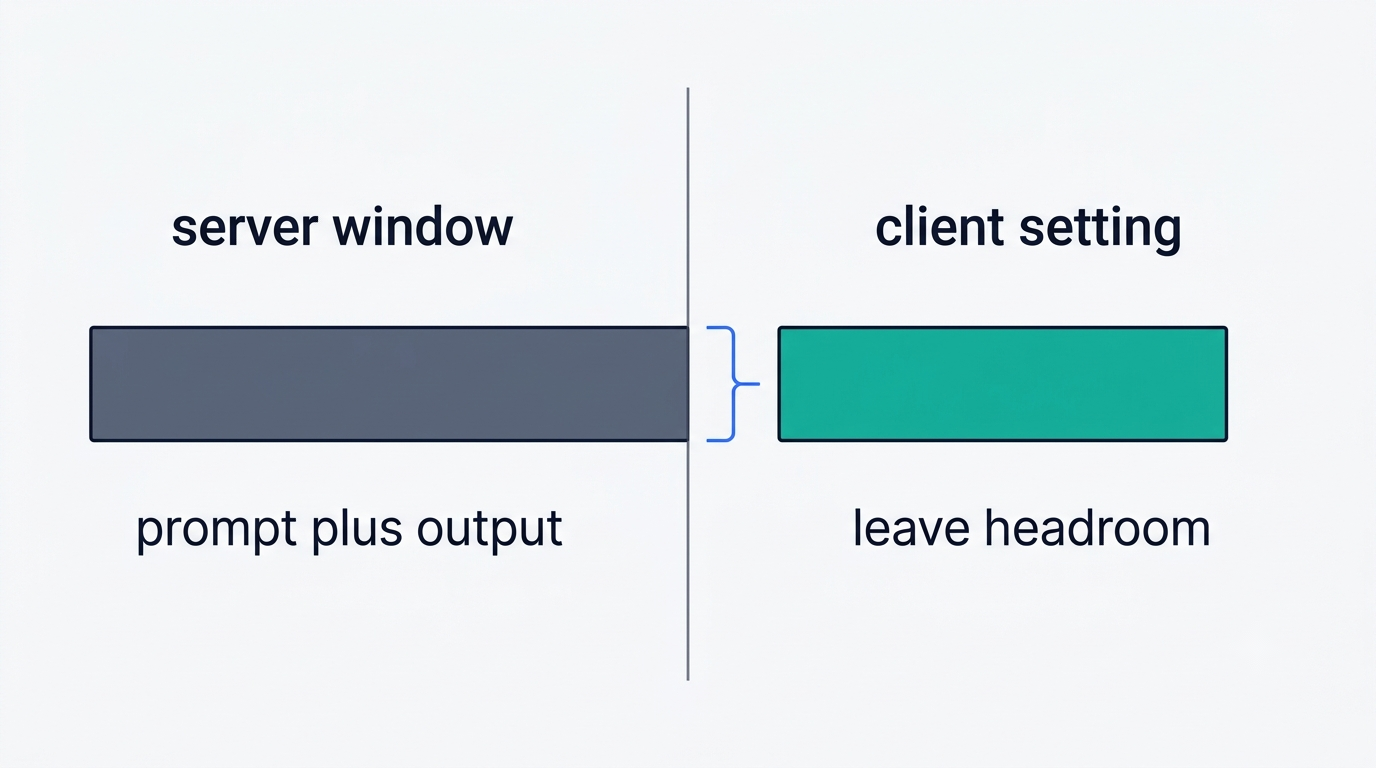
The single most common complaint: the server has one window configured, dsh has a different number written into its config, and the run falls apart partway through. The fix is to count the same number on both sides — vLLM’s --max-model-len covers prompt and output combined, llama.cpp’s -c is pulled from model metadata unless set explicitly, and LM Studio’s window is set at load time. The dsh config should never specify a value higher than what the server actually has, and it should leave headroom for context injected by dsh itself.
Compaction dies when reasoning is off
Compaction is its own package group inside dsh, and it is the piece most likely to fail on local models: with reasoning turned off, the model does not produce the output compaction is built to work from, and the session breaks instead of shrinking gracefully. A related, separately reported failure: subagents spawned mid-session lose their reasoningEffort setting, and any provider that requires thinking mode simply rejects the delegated call outright.
Timeouts
A local model on consumer hardware answers in single-digit or double-digit seconds, while the default timeouts assume a cloud endpoint. Raising the timeout on the llm-pi-ai route is an actively discussed topic in the project’s own community channels, and it is the first thing worth checking when a run dies without a clear error message.
Which Local Models Actually Hold an Agent Loop
Getting a backend running correctly, step by step, looks the same regardless of which of the four is used:
- Install and start the backend server (Ollama,
vllm serve, LM Studio’s Developer tab orlms server start, orllama-server). - Confirm the model answers on its
/v1/modelsendpoint. - Set the matching context flag (
--max-model-len,context_length, or-c) to a value that fits the hardware. - Enable tool calling explicitly where it is not on by default (
--enable-auto-tool-choiceplus--tool-call-parseron vLLM;--jinjaplus a tool-compatible template on llama.cpp). - Point a
llm-pi-airoute in the dsh profile at the server’s base URL and model name. - Raise the client-side timeout before running anything longer than a single-turn test.
- Run one short agent task and confirm a tool call actually executes, not just that the chat response comes back.
The community favourite
The most discussed combination on forums covering this setup is Qwen 3.8 27B, quantized at Q6, run through vLLM. People comparing it against OpenCode note that the same local model behaves more reliably inside dsh, and that difference is about dsh itself, not the model — it comes down to how context gets assembled and how tools get presented to the model, not to any change in the weights.
The honest limit
An agent loop asks three things of a model at once: stable tool calls, a long context held without drifting, and the ability to keep track of a plan across dozens of turns. Small models tend to fail on the third one first. Running locally makes sense for privacy, for working offline, and for predictable cost — not for matching cloud-model quality on a genuinely hard task, where a larger hosted model, including options routed through OpenRouter, still wins.
Compaction and tool-call parsers are also the two areas where local setups most often lose to a hosted model without anyone realizing why. A cloud provider tunes its own tool-call format end to end; a local backend has to be told, flag by flag, which parser matches which model family, and getting that mapping wrong looks identical to a model that “just isn’t good enough” even when the weights themselves are fine. Anyone chasing a dsh agent harness setup that seems to underperform should rule out a parser mismatch before blaming the model.