DeepSeek Harness (dsh): What It Is and How to Run It
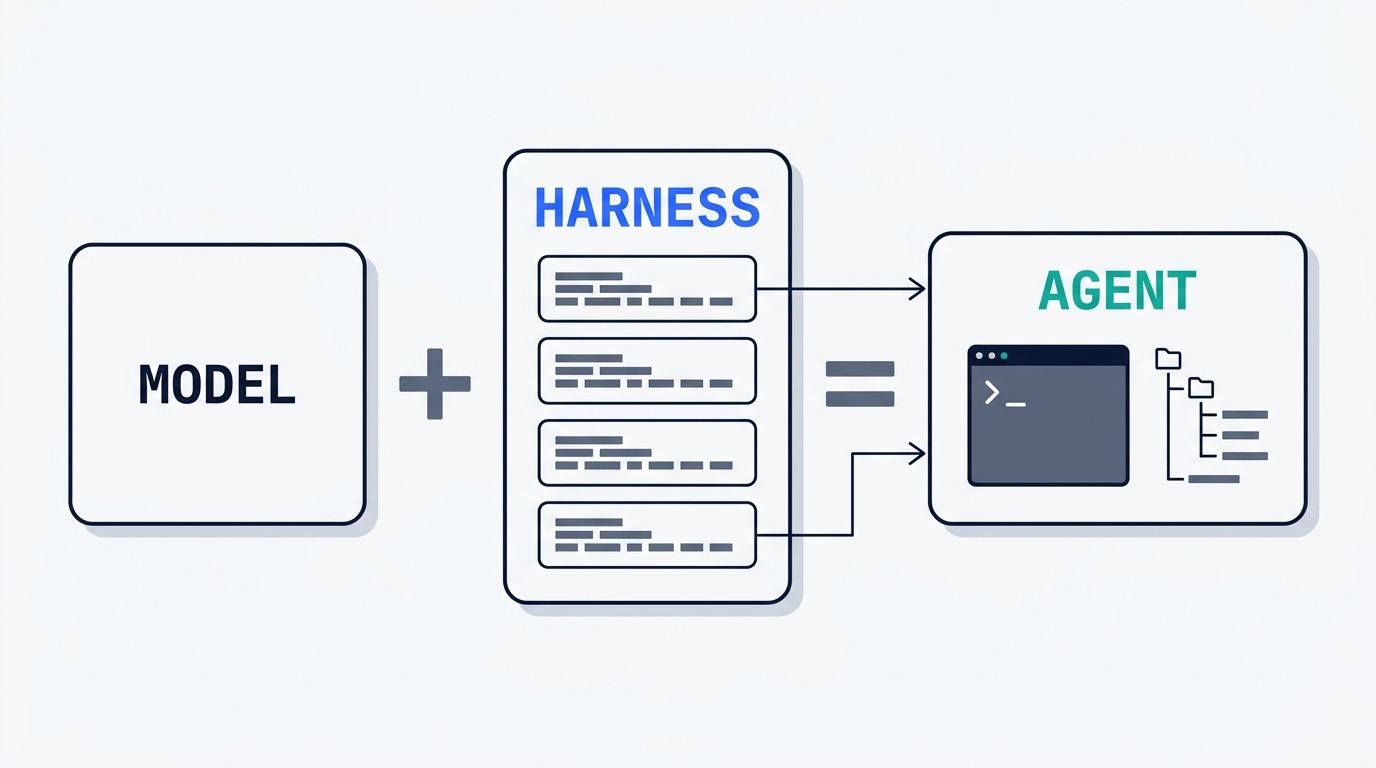
DeepSeek Harness is an open agent layer built by DeepSeek AI, released on August 13, 2026 under the MIT license. It is not a model and not another coding agent — it is the scaffolding that turns any model into a working agent, a point the official product page states directly with a simple formula: Agent = Model + Harness.
DSH Field Guide is an independent community resource built to document DeepSeek Harness for people setting it up and running it day to day. It is not affiliated with, endorsed by, or operated by DeepSeek, and DeepSeek and DeepSeek Harness remain trademarks of their respective owner.
What DeepSeek Harness actually is
DeepSeek Harness — command name dsh — is developed by DeepSeek AI and written in TypeScript under the MIT license, with the tagline “Everything is a Plugin.” The GitHub repository, deepseek-ai/deepseek-harness, had already collected 210,610 stars and 24,639 forks by September 3, 2026, a start fast enough that it ranks among the quickest-growing open-source launches on record.
The model is the soul of the agent. The harness lets the agent understand its environment, use tools, and keep working under real conditions.— DeepSeek, official DeepSeek Harness product page
That line captures the whole design intent. DeepSeek Harness is not a language model — the model plugs in from outside, including a third-party or local one. It is also not just another coding agent: Claude Code and Codex can be mounted inside it as subagents rather than competing with it. And it is not a benchmark framework — EleutherAI’s lm-evaluation-harness is a separate Python project used to score models, and no repository named deepseek-ai/DeepSeek-Harness with a pip install -r requirements.txt setup exists. The real dsh runs on Node.js and installs through npx.
The Agent = Model + Harness formula
Everything except training the model itself lives in DeepSeek Harness: task planning, tool calls, code execution, context management, sessions, permissions, and the interface. DeepSeek’s own hiring materials describe this layer plainly as a model control layer — the part that manages context, calls tools, reads and writes files, runs a terminal, and self-corrects the result.
What dsh is NOT
Three distinctions come up constantly for anyone new to the project:
- Not a language model. DeepSeek Harness connects to a model through an adapter; the model can be DeepSeek’s own or a completely different provider.
- Not just a coding agent. Real Claude Code and Codex CLIs can run as subagents underneath it.
- Not a benchmark framework.
lm-evaluation-harness(EleutherAI) is a Python project used to grade DeepSeek’s models, not a DeepSeek product — the two are unrelated codebases that only share a word in their names.
Everything is a plugin
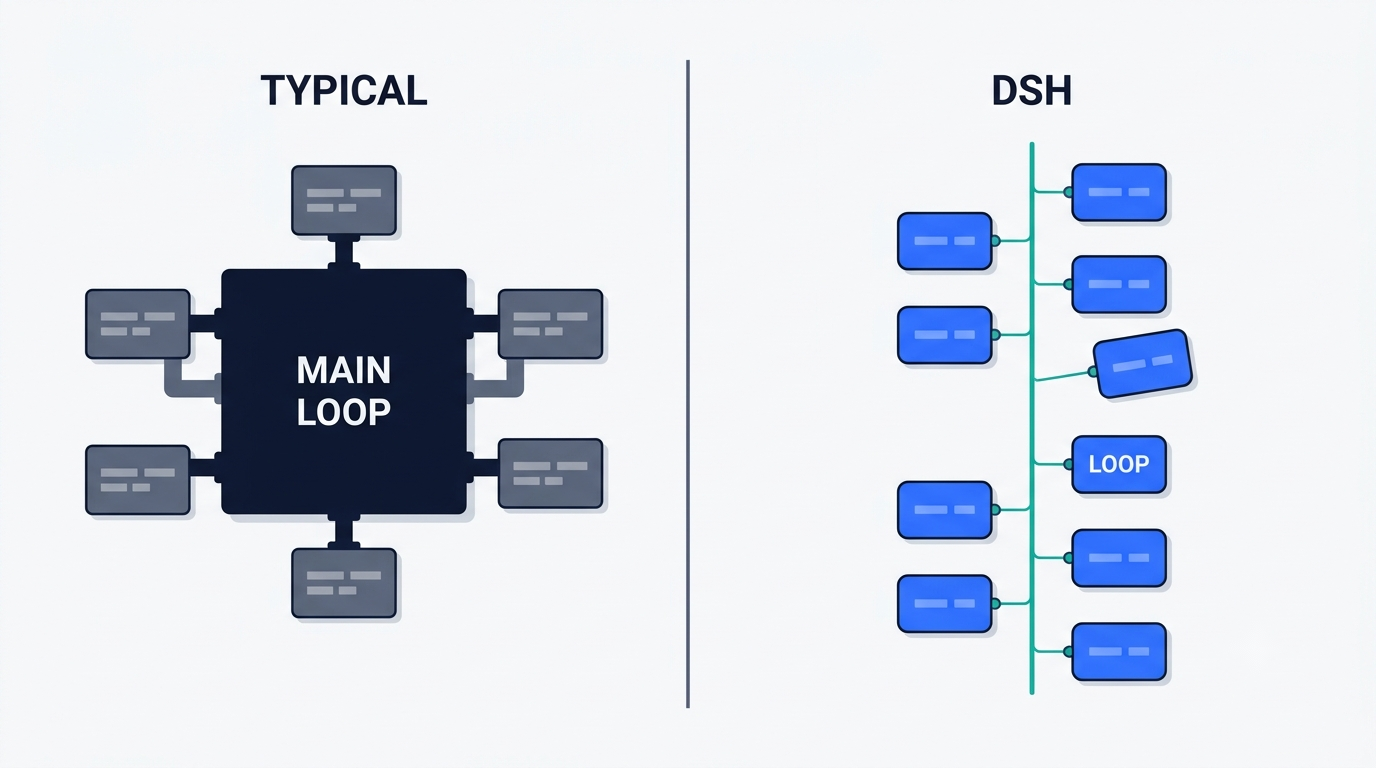
DeepSeek Harness is built on Cordis, a plugin runtime, and the “Everything is a Plugin” tagline is not marketing gloss — models, tools, skills, sessions, sandboxes, file systems, the main loop itself, orchestration, and the UI are all implemented as plugins. The packages/ directory holds more than 200 workspace packages, and a plugin can be unmounted on the fly without restarting the process.
Why that is different from a normal agent framework
A typical agent framework is one main loop plus a pile of capabilities wired in by hand; adding a new capability means editing the loop, rebuilding the prompt assembly, and re-registering tools. DeepSeek Harness turned the main loop itself into a plugin, so extending it means hanging a new plugin next to the existing ones instead of patching the core.
Capability seams
Every replaceable capability is split into three roles — definition, implementation, and consumer. Swapping one implementation changes the product’s behavior everywhere that capability is used, with no fork required.
Cordis: the runtime core
Cordis is the plugin runtime underneath DeepSeek Harness, describing itself as a framework for “spatiotemporal composability.” Its design is documented in the preprint arXiv 2608.25512, “A Programming Paradigm for Spatiotemporal Composability,” an 88-page paper published August 13, 2026 by Yifan Shi, Wei Zhang, and Tianyi Cui.
Two properties define the model. Temporal composability means unloading a component fully reverts every effect it caused. Spatial composability means components declare their dependencies and are wired together reactively. DeepSeek vendors Cordis directly into DeepSeek Harness rather than depending on it as an external package.
Cordis itself predates DeepSeek Harness — it is a standalone open-source project by developer Yifan Shi (known as Shigma), and it has served as the plugin core of the Koishi chatbot framework since 2019. The rule that “unloading a plugin must undo everything it did” came out of that earlier project.
The append-only session log
Every run writes into an append-only log: system prompts, reasoning traces, tool calls and their results, subagent planning, and every context injection. Resume, fork, search, and replay all work by reading back through that log rather than a separate state store.
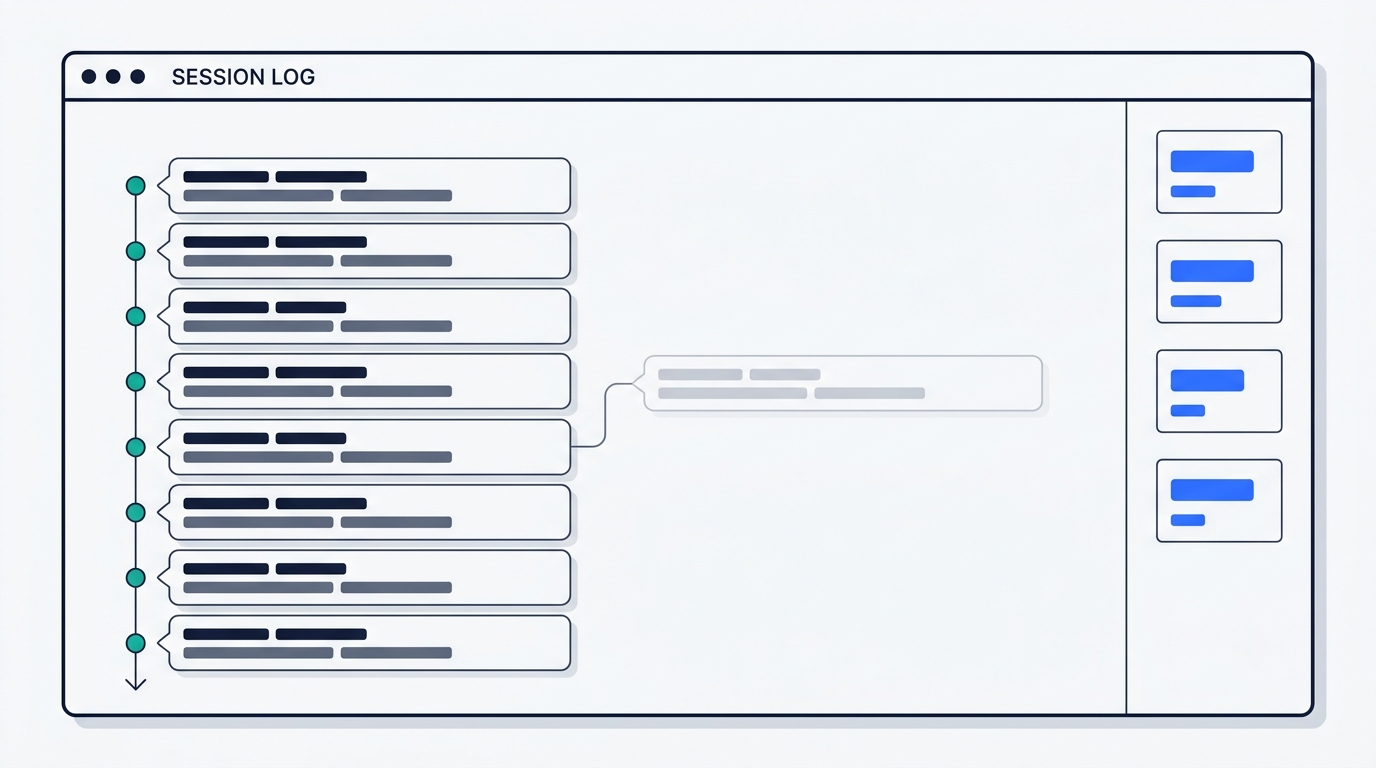
The web UI surfaces statistics most agent runtimes hide entirely: tokens per second, cache hit rate, turn count, and elapsed run time. When the project was discussed on Hacker News, the thread collected 747 points and 314 comments, and the transparency of that session log was one of the most praised details in the discussion.
Four modes: standard, code, minimal, creator
| Mode | What it gives you | When to use it |
|---|---|---|
| Standard | Full tool set, general-purpose agent | Everyday tasks |
| Code | Tools exposed through the Code Mode SDK; the model writes a TypeScript program | Complex multi-step automation |
| Minimal | Only bash and a str_replace-style editor | Fair, apples-to-apples model benchmarking |
| Creator | Assembling your own preset | Building a custom profile or bundle |
Quick start in one command
The fastest path to a running instance is one line:
npx @deepseek-ai/dsh webThat command starts a web interface at http://127.0.0.1:3080 and opens it in a browser; add --no-open to skip the browser launch on a headless machine. It needs Node.js ^22.19.0 or ≥ 24.0.0, and pnpm 11.7.0 if you build from source:
git clone https://github.com/deepseek-ai/deepseek-harness.gitcd deepseek-harnesspnpm installpnpm run buildpnpm dsh web- Read
SAFETY.mdbefore pointing the agent at a real project — the README requires it. - Add your API key when prompted; it is stored in
$DSH_HOME/.credentials.yamland shown masked in the interface.
First run in three steps
Open Settings, go to Models, and paste an API key — the route activates immediately, no server restart needed. Add and select a working folder; the task input stays disabled until a folder is chosen. Then send a task. Anything beyond the permissions already granted gets surfaced back to you for confirmation before it runs.
Other entry points
Beyond the web UI, DeepSeek Harness ships a TUI (dsh --profile tui), a headless mode for scripts and CI (dsh --profile headless "task description"), a Python SDK (pip install deepseek-harness-sdk, which bundles its own runtime so a system Node.js install isn’t required — a Windows x64 build landed in 0.1.2-rc.1), and a TypeScript SDK for embedding it directly in another application.
Models, providers and what it costs
DeepSeek Harness itself is free and open under the MIT license — the only recurring cost is the model’s token usage. The DeepSeek API serves deepseek-v4-flash, deepseek-v4-pro, and the experimental deepseek-v4-flash-vision-exp, all with a 1M-token context window and output up to 384K tokens. New pricing took effect August 16, 2026 at 16:00 UTC, splitting rates into peak and off-peak windows (peak: 01:00–04:00 and 06:00–10:00 UTC, Monday through Friday).
| v4-flash | v4-pro | |
|---|---|---|
| Input, cache hit, off-peak | $0.007 / 1M | $0.022 / 1M |
| Input, cache miss, off-peak | $0.22 / 1M | $0.66 / 1M |
| Input, cache miss, peak | $0.44 / 1M | $1.32 / 1M |
| Output, off-peak | $0.66 / 1M | $1.98 / 1M |
Full detail lives on the DeepSeek API pricing page. For anyone who wants zero API cost, the @deepseek-ai/dsh-llm-pi-ai adapter connects DeepSeek Harness to third-party and local model backends, including Ollama, vLLM, LM Studio, llama.cpp, and any OpenAI-compatible gateway — so a fully local model, run for free, works with the same dsh setup.
Claude Code and Codex as subagents
One of the less obvious design choices: DeepSeek Harness can delegate to real third-party coding agents instead of replacing them. The @deepseek-ai/dsh-subagent-claude-code package launches an actual Claude Code CLI as a child process through the official Agent SDK, and @deepseek-ai/dsh-subagent-codex does the same for Codex through its app-server --stdio protocol. Each subagent keeps its own native configuration and authorization — DeepSeek Harness doesn’t intercept or override how those tools log in. As of 0.1.2-rc.1, the model used by each subagent can be configured separately from the parent session.
Release timeline and current status
DeepSeek Harness capabilities first shipped quietly inside the official DeepSeek V4 release on July 31, 2026, without a standalone product or public source. The actual launch came on August 13, 2026: at 11:56 UTC the public repository went live, @deepseek_ai posted that “DeepSeek Harness v0.1 is now available in Developer Preview,” DeepSeek-V4-Pro-0813 reached general availability, and the Cordis preprint appeared on arXiv the same day. August 14, 2026 is a separate date worth knowing: it’s the earliest commit visible in the public repository history, which is why a few write-ups describe it as the day the code opened up — the repository itself, however, was created on the 13th.
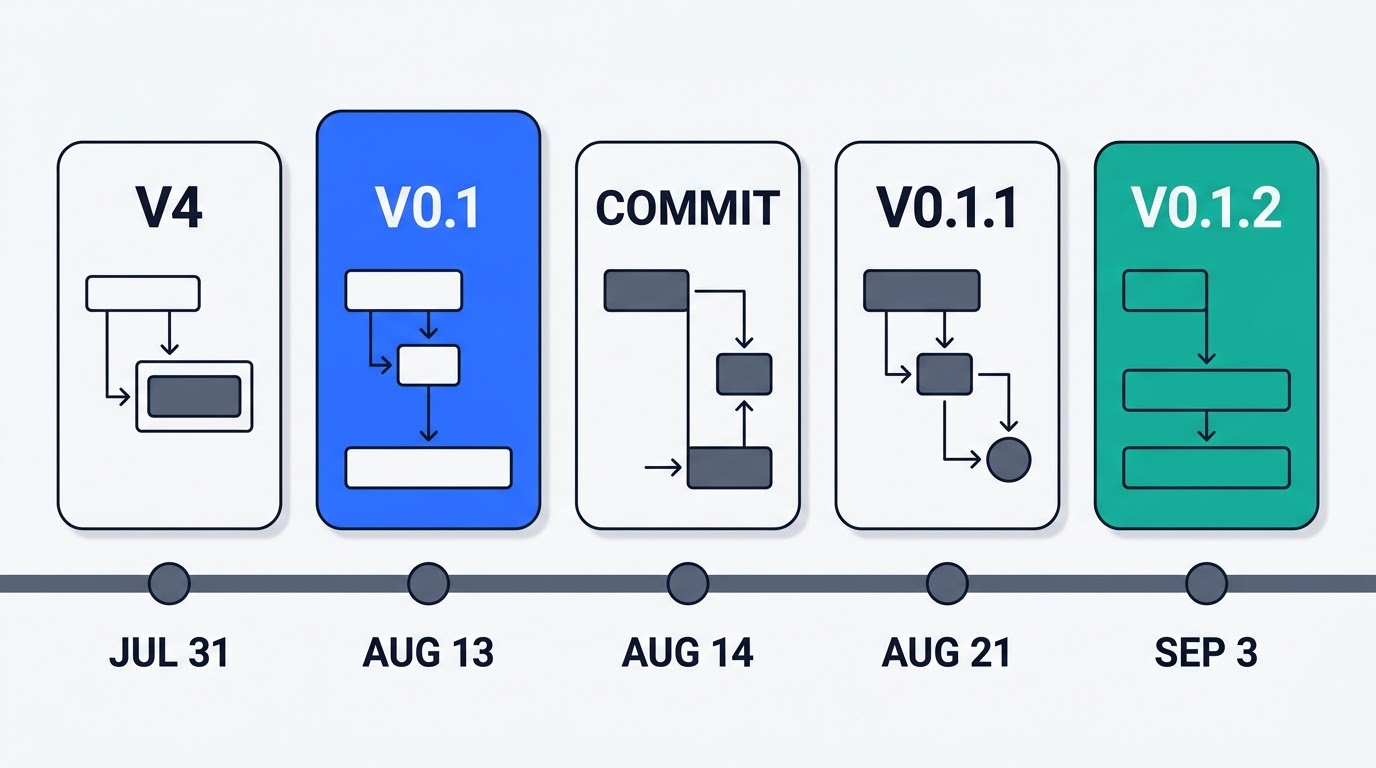
Since then the project has shipped a new build almost every day: version 0.1.1 arrived August 21 alongside DeepSeek-V4-Flash-Vision-Exp, and 0.1.2-rc.1 followed September 3. The README warns in capital letters that there will be compatibility-breaking changes, and both issues and pull requests are disabled on the repository — feedback goes through GitHub Discussions or Discord instead.
Where to go next
Each part of DeepSeek Harness has its own page in this guide, and they are written to be read in any order.
Start with installing DeepSeek Harness if you just want it running, and read DeepSeek Harness on Windows first if that is your machine — almost every known install failure is a Windows one. When something breaks, the error guide covers the failures by the exact wording people search for.
To understand what you are running, the GitHub repository walkthrough explains what is actually inside the monorepo, and Cordis covers the plugin kernel underneath it. From there, the plugin guide shows how capabilities are added, replaced and shipped, and subagents covers the part almost nobody writes about — dsh running Claude Code and Codex as child processes.
For the decisions rather than the mechanics: pricing and token economics works through what the August 2026 API price change did to the “cheaper than Claude Code” argument, DeepSeek Harness versus Claude Code compares them honestly in both directions, and running local models covers Ollama, vLLM, LM Studio and llama.cpp for anyone who would rather not send code anywhere. If you are curious who builds this, the team page collects what is publicly known about the group inside DeepSeek behind it.